
In short
- Close to half of all Google searches (over 46%) have a clear goal: finding something nearby. So if you have a physical address, local SEO is central to your business.
- The Google Local Pack shows three businesses right above the usual results. The order depends on how relevant your listing is, how close you are to the searcher and how strong your online presence is.
- Your most important tool for visibility in your area is a well kept Google Business Profile, with the right category, recent photos and correct opening hours.
- To pick the right keywords for local customers, combine the service you offer with the name of the town or neighbourhood. You can find them for free in Google Autocomplete and in the “People also ask” section.
Why your competitors show up on Google Maps and you don’t
A customer searches for “dentist in Burgas” or “bike repair in Plovdiv”. Three names appear on the map. Your business is not one of them, even though you have been trading for years and are right around the corner.
The reason is rarely the quality of your service. More often, Google simply doesn’t know where you are, what you offer and why it should recommend you.
Over 46% of all Google searches have local intent. People look for the nearest solution. The competitors who show up have filled in their profile, collected reviews and given Google clear signals of relevance, proximity and popularity.
Local SEO is more than “having a profile”. It is steady work that turns being physically close into being visible online.
What local SEO is and why every business with a physical location needs it
Local SEO optimises a business’s online presence so it shows up in the search results of people who are in a given town or neighbourhood and are looking for your type of product or service. The main difference from classic SEO is the focus on location. For any physical premises (a shop, a repair workshop, a studio or a practice), it is the most direct way to reach potential customers who are ready to buy, not just browse. If someone searches for “locksmith near me” at 10 pm, they most likely have an urgent problem and expect help right away.
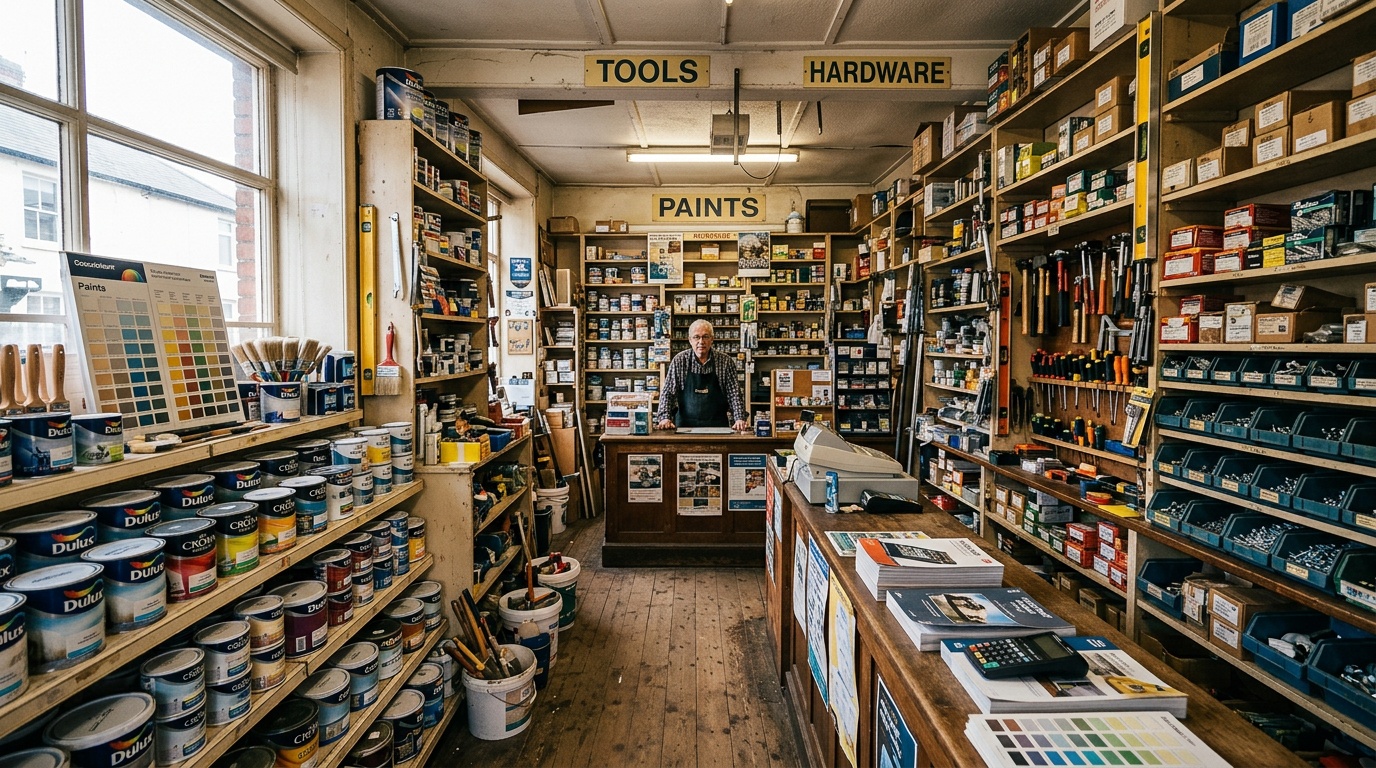
Local search doesn’t bring more visitors, it brings better suited customers. Someone who comes in after finding your premises on the map is usually more ready to buy.
Local SEO vs classic SEO: which strategy fits your business
Classic SEO optimises a website for a wider range of keywords and aims to rank it nationally or even globally. Local SEO, on the other hand, targets people looking for products or services in a specific area or town. If your customers visit your premises in person, local SEO is the top priority. If you sell digital products that don’t depend on where the customer is, classic SEO is the better fit. For most small and mid-size businesses in Bulgaria that rely on local customers, local SEO is the most effective approach.
Search today: Google Maps, the Local Pack and AI
Local businesses appear in three key places. Google Maps is the first stop for anyone looking for a service in their area, especially on a phone. The Google Local Pack is the block of three businesses that sits above the organic results in a local search, and it is the most sought after position. And AI now recommends businesses through ChatGPT, Perplexity and Google AI Overviews, using information from your Google Business Profile, reviews and structured data. The three are connected: a well kept Google profile directly affects Maps, the Local Pack and the answers AI gives.
Data from the Forbes Business Council shows that 17% of consumers in the US already use AI chatbots to search, and 31% rely on Instagram for reviews of local businesses. Search is becoming more local and more spread out across different platforms.
What the Google Local Pack is and why your position in it is decisive
The Local Pack is the block of three businesses that Google shows at the top of a local search, together with a map, rating, opening hours and phone number. These three spots get the most clicks and calls, because people see the answer straight away without scrolling. To decide who appears in the Local Pack, Google weighs three main factors: relevance (whether the business matches the search), proximity (the distance to the searcher) and online presence (profile, reviews and brand strength). You can’t control proximity, but you can control the other two.
Step 1: Set up and fully optimise your Google Business Profile
A Google Business Profile is a free tool and a key asset for local visibility. You create it by verifying your business by post, phone or video. Then the optimisation starts: filling in every field with accurate information, including name, address, phone number, opening hours, category and description. Add photos of your premises, your team and the work you do as well. Every empty field is a missed opportunity. Google favours profiles that are complete, active and regularly updated. Common gaps are incomplete opening hours, missing photos, the wrong category and duplicate profiles that confuse the algorithm.
- Create the profile and complete verification
- Choose the exact primary category and every relevant secondary one
- Fill in your address, phone number, opening hours and description
- Upload at least ten recent photos of the premises, the team and your work
- Add your services, with prices where they apply
Which Google Business Profile fields affect ranking the most
The category is the strongest relevance signal. Next in importance are the business name, which should be clear and free of stuffed keywords, and the address and phone number, which must match the details on your website. Photos and reviews increase engagement, and correct opening hours matter for showing up in searches such as “open now”. The description plays a smaller role in ranking, but it matters to customers and to voice search systems that work with natural language.
Step 2: The right categories and keywords for local search
Choosing the exact category is crucial, because it decides which searches Google shows your business for. If your profile sits in the wrong category, you show up for people who aren’t looking for your service, and you lose customers. To attract the right people, you need local keywords: a combination of the service you offer and the place where you work. For example: “dentist in Burgas”, “bike repair in Plovdiv”. You don’t need expensive tools to get started. There are free ways to find out what your customers search for.
- Start with your main service and add the town or neighbourhood
- Look at Google Autocomplete’s suggestions as you start typing your service
- Go through the questions in the “People also ask” section
- Ask your customers how they found you
How to find the local keywords your customers actually use
The quickest way is Google Autocomplete. Type in your service and see what the search engine suggests. Then look at the “People also ask” section and the related searches at the bottom of the results page. These suggestions are based on real searches, not guesswork. Another source is the questions customers ask on the phone or in person. You can also get ideas from your competitors’ reviews: the words people use there are usually the same ones they type into the search engine.
Step 3: NAP data and why consistency is decisive
NAP stands for Name, Address, Phone, the three core identifiers of a business. Google compares the NAP data in your profile, on your website and in external directories. If they don’t match, your ranking can suffer. Common problems: a different phone format (with or without the area code), an outdated street name, a missing floor or office number, or a shortened company name in one place and the full one in another.
Consistency matters more than the number of directories.
Where to check and correct your NAP data
First: your own website, on every page, usually in the footer or on the contact page. Second: your Google Business Profile. Third: the main Bulgarian business directories and portals. Fourth: the business’s social media profiles. The audit is simple: list every place where the business is mentioned and compare each field. Correct every mismatch by hand.
Step 4: How to collect and manage reviews effectively
Reviews are a critical trust factor in local search. They directly affect your Google ranking and which business customers choose in the Local Pack. To collect them regularly, ask for one right after a purchase or service. Send a direct link to your profile and a reminder by email or text message. Replying actively to every review, positive or negative, shows engagement and is rewarded by Google.
- Send a link to your profile as soon as the job is done
- Make the process as easy as possible for the customer
- Reply within two days
- Don’t offer incentives for positive reviews, as this breaks Google’s rules
How to reply to negative reviews without hurting your reputation
A negative review is a chance to show professionalism. Reply quickly, calmly and with thanks for the feedback, even when you disagree. If the mistake was real, admit it and explain how you will stop it happening again. If the claims are inaccurate, reply with facts but without aggression. Public replies show future customers how the business handles difficult situations.
Step 5: Local pages on your website (structure and content)
A local page is a separate part of your website dedicated to a specific town or neighbourhood. It adds to the information in your Google Business Profile and helps your site rank better when people search for services in that area. To work well, every local page needs:
- Keywords tied to that specific place
- Accurate contact details: address, phone number and opening hours
- A description of your services, matched to the needs of customers in the area
- Reviews from real customers who live in the same town
- A map with the exact location of your premises
Create a separate page for each town or neighbourhood you work in. Add accurate contact details, describe your services and what they do for local customers, publish real reviews and embed a map.
What to avoid when creating local pages
The most common mistake is duplicate content. If you just swap the town name on the same page, it gives the reader nothing and Google recognises it. Another common mistake is creating pages for places where the business doesn’t actually operate. That looks like an attempt to manipulate search engines. It is also important not to leave out concrete information about the area. If a page has nothing specific to a given town, it is of no use to the people reading it.
Every local page should give a clear answer to one question: what does this business do for customers in this particular town?
Step 6: Local citations and links from authoritative sources
A local citation is any mention of your business online: in directories, specialist portals or local media. Even without a direct link, these mentions show Google that the business is real and part of the local community. The most effective are listings in established local business directories, industry associations, regional news sites and partner pages. Links from sources like these don’t just send traffic, they also tell Google that the business carries more weight in that region.
- List your business in the main Bulgarian online directories, such as Golden Pages, City Guide and Business.bg
- Look for partnerships with complementary local businesses and ask to link to each other
- Contact regional media about news, events you take part in or successful projects
- Take an active part in local events and initiatives; this often leads to a mention with a link
Which local directories in Bulgaria Google actually indexes
Focus on directories that Google actually indexes and where people really look for information. These are usually the big general directories such as Golden Pages and Business.bg, specialist platforms for your industry and local city portals. Directories with little traffic, artificially inflated listing counts or duplicate content rarely add value and can damage your reputation. Search for your business name on Google and see which sources come up: those are the ones Google takes into account.
How long local SEO takes and how to measure progress
The first results from optimising your profile usually appear after 2 to 4 weeks. A visible improvement in ranking, however, takes at least 3 to 6 months of steady work, especially in a competitive market. You measure progress with metrics such as your position in the Local Pack, calls from your profile, direction requests, clicks to your website and the number of reviews. All of this data is available in your Google Business Profile dashboard and needs no extra tools.
According to BrightLocal research cited by the Forbes Agency Council, reviews are influencing customers’ decisions earlier and earlier in the buying process. That means more reviews are a direct route to more sales, not just to a better ranking.
Signs that the work is paying off before the traffic arrives
First, your profile starts showing up in more Google searches. Second, your local pages get indexed and appear in the results, even if lower down. Third, you get more reviews, which shows that your system for collecting them works. Fourth, your business shows up for terms it never appeared for before, even in 10th or 12th position. That is a good direction.
Local SEO and AI: how to get recommended by ChatGPT and Google AI Overviews
AI assistants use information from your Google Business Profile, reviews and structured data to recommend local businesses. When someone asks ChatGPT “who is the best dentist in Burgas”, the assistant gathers information from different sources and names businesses that are well described and backed by real reviews. Answering common questions clearly and accurately makes you more likely to be recommended. As the way we search changes, the way we present a business online has to change too. Optimising for AI search builds on local SEO rather than replacing it.
If your Google Business Profile is complete and your reviews are real, the AI assistant has something to draw on. If the information is missing, the assistant will name someone else.
How structured data helps AI assistants understand a local business
LocalBusiness schema structured data is code that describes your business to machines: name, address, phone number, opening hours, type of services, rating. Without this code, search engines and AI assistants have to guess. With it, they get accurate, machine readable information they can quote directly. Adding schema to your website is a technical task that doesn’t take long, but it makes your information available to every system that crawls web pages.
Which businesses gain the most from local SEO: examples from practice
| Type of business | Competition in the Local Pack | Volume of local searches | Rough time to first results | Importance of reviews | Difficulty of optimisation |
|---|---|---|---|---|---|
| Business with physical premises in a large city | Heavy competition in the Local Pack: many businesses fight for the top three spots | High volume of local searches | Usually 4 to 6 months for noticeable progress | Critical: good reviews can make up for being further from the customer | Very high: competition is strong and you need clear differentiation |
| Business with physical premises in a small town | Little competition in the Local Pack, often just two or three players | Lower volume of local searches, but a higher conversion rate | 2 to 4 weeks to reach the top, even with basic steps | Moderate: competition is low, but reviews are still an important factor | Low: the basic optimisations are enough |
| Business without physical premises that serves a specific area | No or minimal competition in the Local Pack; the business doesn’t appear there | Volume of local searches depends on the area and the service | 3 to 6 months: the work is on local pages and citations | Moderate: the weight falls on the website’s content | Medium: needs more content and technical work |
Businesses with real premises in a large city need a serious investment of time and money. Steady work on reviews and well structured local pages are key. Small towns offer excellent opportunities: often just a few steps lead to quick results. For businesses without a physical address that serve a specific area, local pages and quality content matter most.
Local SEO checklist: what you can do yourself right now
- Create or claim your Google Business Profile and fill in every field
- Check that your name, address and phone number (NAP) are the same everywhere
- Ask five happy customers for a review
- Create a separate page for the main town or neighbourhood you work in
- Add LocalBusiness structured data to your website
These five steps are the foundation. They don’t need big budgets or technical knowledge. They need time and consistency. Businesses that complete them will notice the difference within months, not years.
When local SEO is not the best choice: real limitations
Local SEO makes no sense for businesses that work entirely online and aren’t tied to a particular region. If you run an online store that delivers across the whole country and you have no physical premises, you can’t benefit from optimising for Google Maps. Without a physical presence and a clearly defined service area, local SEO won’t deliver the results you expect. Local SEO is a long term strategy and doesn’t bring quick results: it takes time to build.
When a business has no physical premises or clearly defined service area, local SEO won’t bring results.
Frequently asked questions
Can a business without a physical location benefit from local SEO?
Yes, as long as it serves a defined area. Even if you have no office but work in people’s homes or in a specific town, you can set up a Google Business Profile with a service area instead of an address. The weight then falls on local pages, content and citations rather than on your position on the map.
How long does local SEO take to deliver measurable results?
The first positive signs appear 2 to 4 weeks after your profile has been optimised. To see a significant improvement in a competitive city, though, you need 3 to 6 months. In smaller towns, results often come faster.
What matters more for local ranking: reviews or NAP data?
NAP data is the foundation: if it isn’t spotless, Google can’t identify you correctly. Reviews are the engine: they push your ranking up and influence the customer’s decision. So both matter equally. Without correct NAP data, even lots of positive reviews won’t help.
Do I have to pay for a Google Business Profile?
No. A Google Business Profile is completely free. Paying does not improve your position in the Local Pack. If an agency asks you for money for “optimisation”, that is for the actual work of filling in and maintaining the profile, not for access to the platform.
How do I check whether local SEO is working?
You can track the metrics directly in your Google Business Profile dashboard: impressions, calls, direction requests and clicks. You can also check your position yourself by searching for your keywords on a device located in the area you serve. Growth in impressions and calls is the surest sign that your efforts are paying off.
Can local SEO bring real customers, not just traffic?
Yes, and that is one of the key differences from classic SEO. Local searches come from people with a specific need who are looking for a solution nearby. A call, a direction request or a click to your website is a clear sign that the person is ready to buy, not just browsing out of curiosity.
Local SEO is a process that takes persistence, but the results are measurable and tied directly to your business. WebTact works with small and mid-size companies in Bulgaria that want to be easier to find on Google and in AI assistants. If you would like a consultation on your business’s visibility, use the Request a consultation option on our website, with a clear scope and transparent terms.